Restore from cloud onto new machine

Don Sol

Member
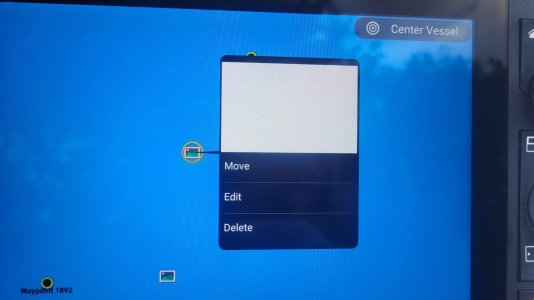
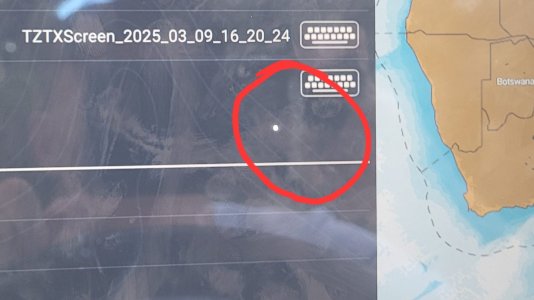
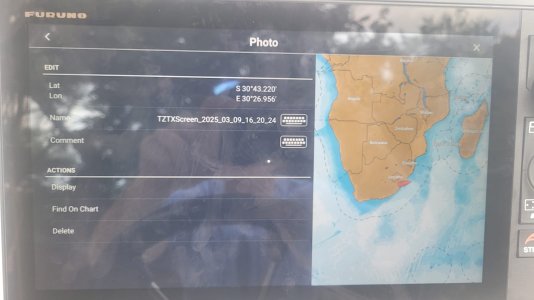
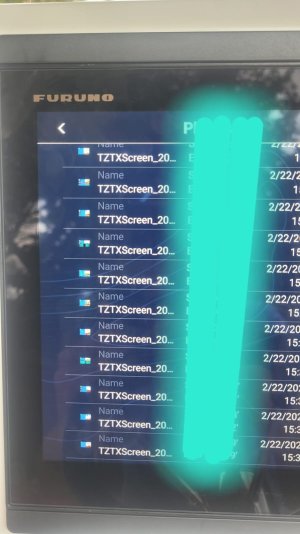
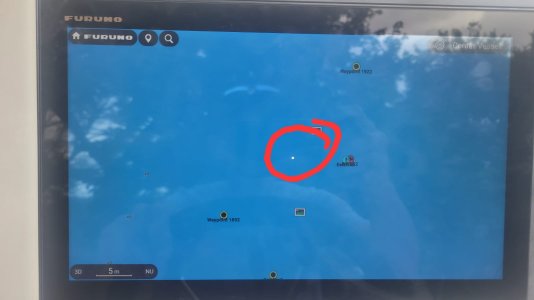
Ive just received a new XL13 on warranty. Ive done the restore of all my settings, waypoints and photos (ie screenshots) from the cloud, which is just an epic service. However it seems the screen shots do not want to display. So they icons are displayed on the plotter, the pics are listed in the "list" file but when i want to open or display the photo it comes up as a white dot. See the pics below.

am i missing a setting, any tips or tricks to have these pics displayed?

thanks
 

Attachments

  • ******** Image 2026-02-23 at 08.10.17.jpeg
    ******** Image 2026-02-23 at 08.10.17.jpeg
    72.3 KB · Views: 8
  • ******** Image 2026-02-23 at 08.10.19 (1).jpeg
    ******** Image 2026-02-23 at 08.10.19 (1).jpeg
    91.7 KB · Views: 5
  • ******** Image 2026-02-23 at 08.10.19.jpeg
    ******** Image 2026-02-23 at 08.10.19.jpeg
    90.3 KB · Views: 7
  • ******** Image 2026-02-25 at 22.34.10.jpeg
    ******** Image 2026-02-25 at 22.34.10.jpeg
    108.8 KB · Views: 4
  • ******** Image 2026-02-25 at 22.34.09.jpeg
    ******** Image 2026-02-25 at 22.34.09.jpeg
    57.8 KB · Views: 4
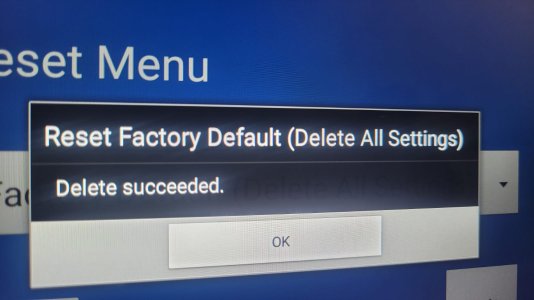
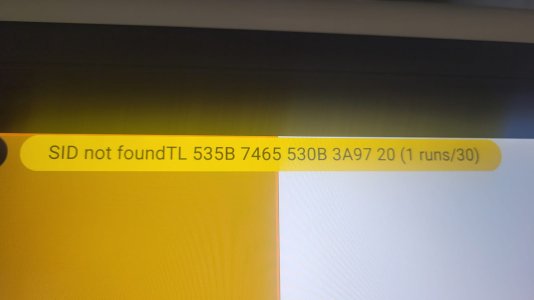
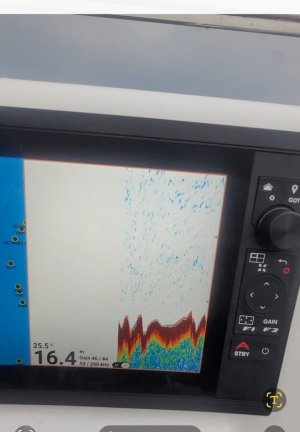
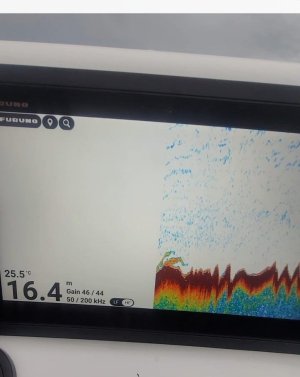
Updates to this issue..... 1stly along with this issue above ive had zero LOW FREQ display on dual freq, i run a 600w P66 transducer, the depth reference numbers on the side of the RHS of the screen does not come up, its absolutely blank. when i run single freq. on LF, I get a sea bed display however it will always auto range and jumps to 80m, even when auto range is off. These faults also happen when im on DEMO mode, it runs exactly the same as at sea. I also get an unknown alarm as start up SID .... see pics attached. I then did a HARD factory reset on the serviceman page and initially did NOT connect back to TZ cloud account. Set up the machine as i would and perfect LF and HF freq use, displayed properly etc both live and DEMO. I installed my TZ cloud data, FYI the screen shot displayed perfectly, so the fault described above is no longer an issue and still the LF and HF displayed perfect. I then took the boat to sea and bingo the LF fault is back, with the same fault. The screen shot images work fine, that is great.
 

Attachments

  • ******** Image 2026-03-02 at 07.44.35.jpeg
    ******** Image 2026-03-02 at 07.44.35.jpeg
    101.9 KB · Views: 3
  • ******** Image 2026-03-02 at 07.44.14.jpeg
    ******** Image 2026-03-02 at 07.44.14.jpeg
    56.9 KB · Views: 2
  • ******** Image 2026-03-02 at 07.55.52.jpeg
    ******** Image 2026-03-02 at 07.55.52.jpeg
    68.4 KB · Views: 3
  • ******** Image 2026-03-02 at 07.55.33.jpeg
    ******** Image 2026-03-02 at 07.55.33.jpeg
    62.2 KB · Views: 3
Whenever a screen capture is done it will save a copy to the machine and to the USB stick (if one is inserted). I almost sounds like you have some bad user data that is being restored from the cloud backup. I also note that it looks like after clearing the unit the chart master setting was not turned ON for the master unit. The P66 has a 10 pin connection that goes to the Furuno 10 pin to 12 pin Furuno adaptor with the blue plastic?
 
Back
Top