pinkeerach
New member
Setup: Monohull sailboat with an XL10 set as master at the nav station and an XL16 in the cockpit, both running 25.11.1. The AIS tx/rx device is a Simrad NAIS-500.
Problem: Seeing intermittent problem where AIS targets are not displaying at all unless I jump through hoops (changing instance IDs, waiting to power things up/powering things up in a particular order, pat my head/rub my stomach, etc.).
Troubleshooting steps/info:
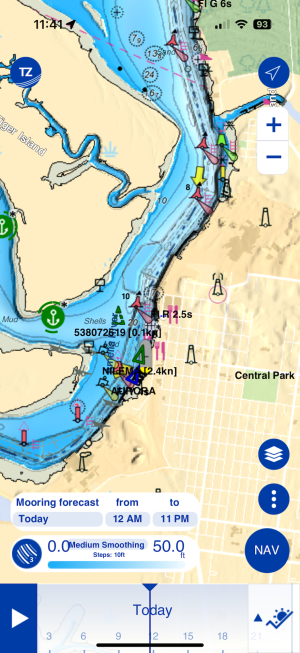
- I have confirmed the AIS data is on the NMEA2k network, and am seeing the data in TZ iBoat (via the AIS module) as well as in other apps where I'm consuming the N2k feed (Aquamaps, etc.)
- I have also confirmed the AIS data on the n2k network with an n2k logger/inspector
- Most of the time, if we turn on the AIS and give it about 3-5min before turning on the MFDs, the data will show up
- Sometimes, if I change the Sys Instance and Device Instance of the NAIS-500 and reboot, the AIS data will appear. This does not always solve the problem.
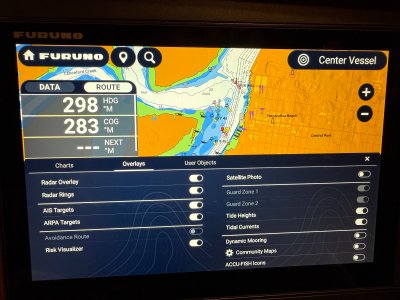
- Confirmed that I have the "AIS Targets" option turned on in the UI
- Most reliable way to fix it...
1. change the NAIS-500 system instance and device instance
2. power off MFD XL10
3. turn off MFD breaker and AIS breaker (shared with VHF) -- a "soft" reboot (where I don't flip the breaker) sometimes is sufficient but not alway
4. let sit for a minute or 2
5. turn on AIS/VHF breaker and wait 3min or so
6. turn on MFD XL10 and pray to the electronics gods
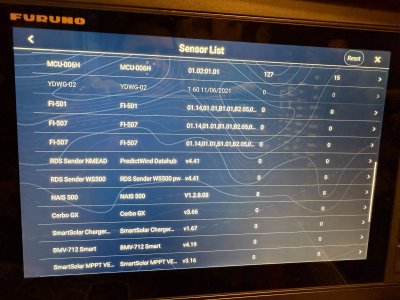
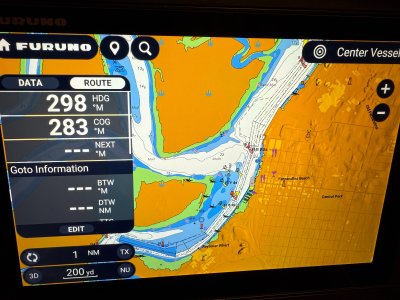
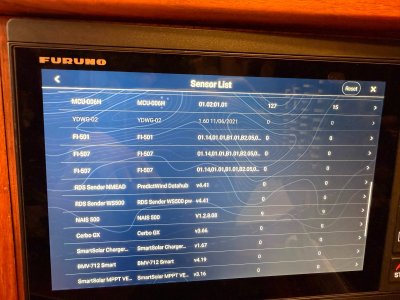
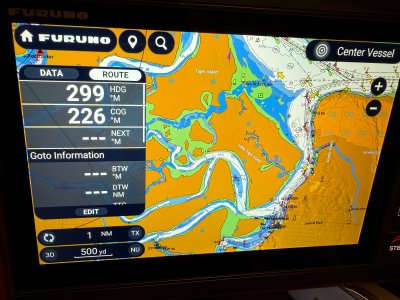
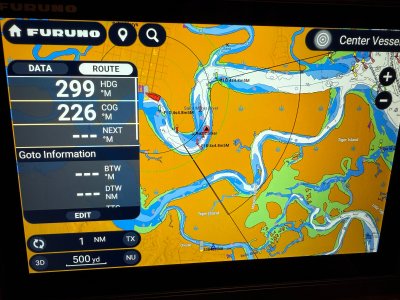
Photos attached are a before changing the Instance IDs on the NAIS-500. Will post the "after" photos in the next post. The TZ iBoat app gets data as soon as the AIS breaker comes on, so I can't help but wonder what's up with the MFDs.
This is super annoying because of the intermit nature (sometimes we're troubleshooting underway), and the fact that I know the data is on the network! Never had this issue with our old TZT MFDs.
What could be going on? What else should I look for or try to resolve this issue?
Problem: Seeing intermittent problem where AIS targets are not displaying at all unless I jump through hoops (changing instance IDs, waiting to power things up/powering things up in a particular order, pat my head/rub my stomach, etc.).
Troubleshooting steps/info:
- I have confirmed the AIS data is on the NMEA2k network, and am seeing the data in TZ iBoat (via the AIS module) as well as in other apps where I'm consuming the N2k feed (Aquamaps, etc.)
- I have also confirmed the AIS data on the n2k network with an n2k logger/inspector
- Most of the time, if we turn on the AIS and give it about 3-5min before turning on the MFDs, the data will show up
- Sometimes, if I change the Sys Instance and Device Instance of the NAIS-500 and reboot, the AIS data will appear. This does not always solve the problem.
- Confirmed that I have the "AIS Targets" option turned on in the UI
- Most reliable way to fix it...
1. change the NAIS-500 system instance and device instance
2. power off MFD XL10
3. turn off MFD breaker and AIS breaker (shared with VHF) -- a "soft" reboot (where I don't flip the breaker) sometimes is sufficient but not alway
4. let sit for a minute or 2
5. turn on AIS/VHF breaker and wait 3min or so
6. turn on MFD XL10 and pray to the electronics gods
Photos attached are a before changing the Instance IDs on the NAIS-500. Will post the "after" photos in the next post. The TZ iBoat app gets data as soon as the AIS breaker comes on, so I can't help but wonder what's up with the MFDs.
This is super annoying because of the intermit nature (sometimes we're troubleshooting underway), and the fact that I know the data is on the network! Never had this issue with our old TZT MFDs.
What could be going on? What else should I look for or try to resolve this issue?