furuno 1623

pasquale

Member
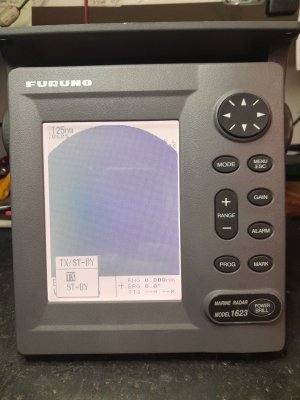
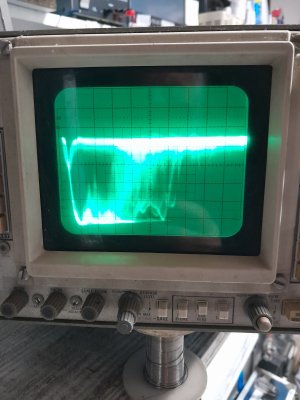
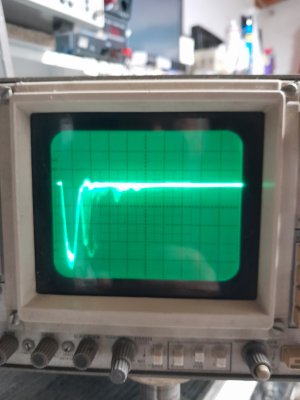
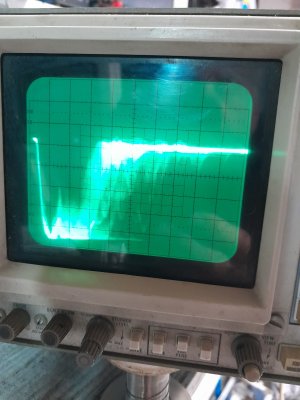
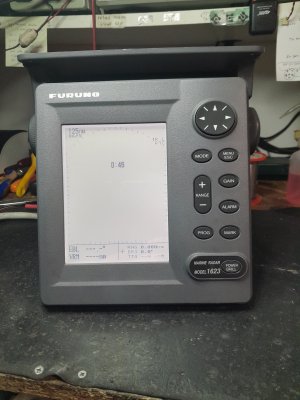
My Furuno model 1623 radar started acting up. For no apparent reason, it started smearing the screen, as if the gain control was all set to 100%. But after checking the various settings, I realized they weren't the culprit. Since I couldn't interrupt the video signal without cutting the cable, I used an old cable to disconnect the video signal on the coaxial cable, pin 6 of the DJ1 connector. But even with the coaxial cable disconnected, the problem persists. The radar only has 75 hours of transmission, so it hasn't worked very well. It wasn't turned on during a thunderstorm. It's a strange defect. I'm attaching two photos to better explain this. Perhaps someone has already encountered the same problem. Sorry for the long message.
 

Attachments

  • 1623_1.jpg
    1623_1.jpg
    1.8 MB · Views: 7
  • 1623_2.jpg
    1623_2.jpg
    2.1 MB · Views: 7
pasquale,

It looks like you are zoomed in to 0.125nm. What happens when you zoom out to 5-10nm? Looks like you are just seeing the Main Bang (MB). Also, is MB Suppression turned off? Try backing out to 5-10nm and making sure MB Suppression is turned on. See how it looks then.
 
We haven't sold a 1623 in a long while. They are good radars. Are you a dealer or service guy? I see from your questions you have asked about a ton of other models. How long is the scanner cable? Was the scanner cable from an older prior system?
 
pasquale,

It looks like you are zoomed in to 0.125nm. What happens when you zoom out to 5-10nm? Looks like you are just seeing the Main Bang (MB). Also, is MB Suppression turned off? Try backing out to 5-10nm and making sure MB Suppression is turned on. See how it looks then.
Hi Silver, yes, in the photo it was on the 0.125mg scale, but nothing changes on the other scales up to 16mg either. No one touched the main bang, but honestly, I haven't checked it. It's raining here today (in Tuscany, Italy) to keep the radar head away from me outside. The cable has been checked, and it shows no short circuits or insulation losses. I'm a retired technician (76 years old), and this radar is on my small boat. But friends often ask me for advice. I'll do the checks you suggest and post the results. Thanks.
 
We haven't sold a 1623 in a long while. They are good radars. Are you a dealer or service guy? I see from your questions you have asked about a ton of other models. How long is the scanner cable? Was the scanner cable from an older prior system?
Hi Johnny, yes, I was a technician for many years, now retired (I'm 76). But many friends often ask for advice. I've certainly asked for advice myself in the past, here on the web. I can't possibly know everything, or understand all the flaws that electronic equipment can have. I was very good at autopilots, even very old ones like the NECO. But now I have to deal with my little radar. The original cable is still on the mast; I've tested it, no leaks or short circuits. I'm using a second cable, also from a 1623, which I destroyed; I only recovered the cable, and it's good. It's 10 meters long. Silver gave me some advice, which I'll probably be able to test tomorrow, since it's raining here in Tuscany today. I'll try to post any results. Thanks anyway.
 
Good morning everyone, I'm checking my little 16-mile radar, which has started acting up. All the checks relating to the operating voltages have been successful. By significantly reducing the contrast and brightness, I managed to see some echoes of the magnetron signal. I tried to issue commands and observed the reaction: gain, sea state, and rain protection all react. I concluded that the radar head is not the culprit, the screen is completely dark. So the culprit is the display. I focused on it, and I noticed that the prog button does not allow any changes. For example, if I try to set the mode button to change the TX-STBY control, it does not allow it. It remains only on the prog button. I decide to perform a complete reset both from the menu (memory reset) and from the external down arrow and power buttons, but nothing happens. It should return to the default conditions. But it does not. This is not good. Either the down arrow + power procedure is incorrect or the software is corrupted. The version is 0359138-01.06. Has anyone else had similar problems? Any suggestions are welcome.
 

Similar threads

A
Replies
5
Views
3K
Anonymous
A
Back
Top